Review a recorded lecture
Find the main concepts and use the source transcript to revisit explanations that deserve a closer look.
Upload a spoken-audio file and turn its transcription into visual notes, a mind map, or detailed Markdown. Revisit a lecture, interview, or voice recording with a clearer overview.
Sign in before selecting your file. Your chosen format will be kept.
MP3, M4A, AAC, WAV, FLAC, OGG, and Opus. Size and duration limits depend on your account.
View plans and limits ↗Transcribe the spoken ideas
Organize the main themes
Check names and numbers
Sign in and select one supported audio file you are allowed to process.
Choose a note format and upload. The processing service transcribes the audio before generating the note.
Open the completed note, review the transcript, and export your preferred format.
Get an overview, connect the ideas, or keep the detail. Choose a format when you generate; add another view when you need it.
A clear overview you can scan, save, and share as an image.
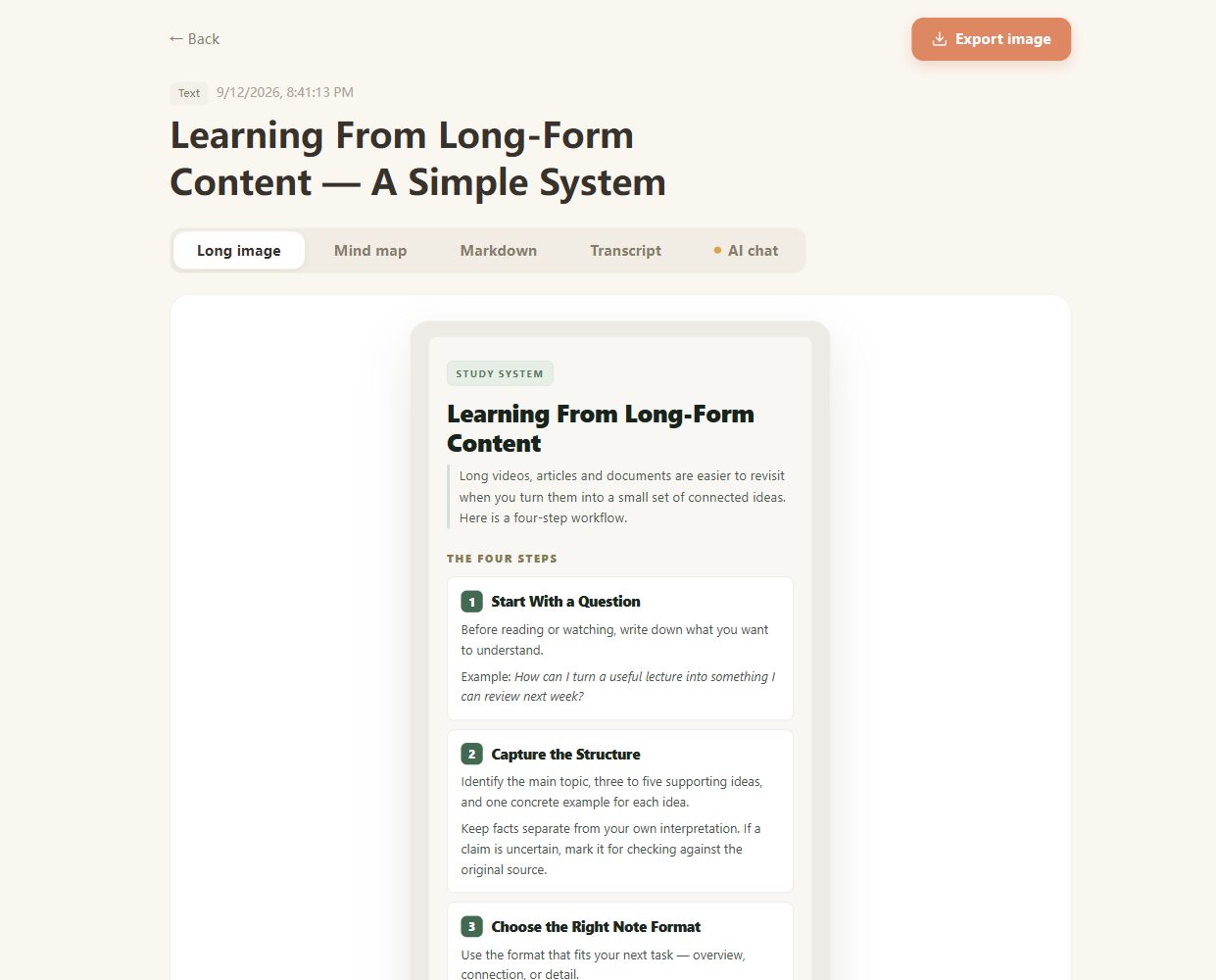
Real CuteNote output · Original demonstration text about learning from long-form content.
Find the main concepts and use the source transcript to revisit explanations that deserve a closer look.
Organize the discussion into notes, then check the recording before quoting a speaker.
Bring a longer spoken reflection into a structured summary you can read and follow up on.
The page accepts MP3, M4A, AAC, WAV, FLAC, OGG, and Opus. A damaged file or an unsupported codec can still prevent processing.
CuteNote also has a recording page for capturing audio with the controls available on your device. This tool is for a file you already have.
Background noise, overlapping speech, recording volume, and unfamiliar terms can affect the text. Check important names, numbers, and decisions against the audio.
Speaker names, exact timestamps, and diarization are not guaranteed by this workflow. Treat speaker attribution as something to verify in the recording.
The tool is designed to summarize spoken content. Music-only audio or a silent recording may not provide a useful transcript or note.
Bring something you want to understand. Leave with something worth keeping.
Create your first note