Good ideas deserve
a place to stay.
Turn videos, documents, and podcasts into clear, useful notes. Find your starting point. We'll help you keep the good stuff.
A better way to learn from videos
Start with one question
Connect the main ideas
Put one insight into practice
One less thing to summarize yourself.
Twelve starting points. Find the one that fits your content.
12 tools
A better way to learn from videos
Start with one question
Connect the main ideas
Put one insight into practice
YouTube Summarizer
Less replaying. More understanding. Turn a video into notes worth keeping.
Open toolFollow the explanation in words
Read the source text
Check the surrounding context
Copy the passage you need
YouTube Transcript
Find the words behind the video. Read and copy the source alongside your notes.
Open toolGive your learning a structure
Start with the central topic
Branch into supporting ideas
Keep the relationships visible
YouTube to Mind Map
See how a video's ideas connect. Turn a lesson into a map you can explore.
Open toolKeep the point of a short lesson
Identify the central tip
Keep the steps in order
Return to the demonstration
TikTok Summarizer
A useful video deserves more than a bookmark. Keep its point in a clear note.
Open toolTake the lesson with you
Find the main explanation
Keep useful supporting details
Revisit the original post
Instagram Summarizer
Save the lesson from a Reel or post as a note you can actually revisit.
Open toolFrom reading to understanding
Find the central question
Organize the supporting ideas
Return to the evidence
PDF Summarizer
From a stack of pages to a clear overview. Give your next read a head start.
Open toolTurn a slide deck into a study plan
Find the presentation's story
Group the key concepts
Return to charts and examples
PowerPoint Summarizer
Bring a whole slide deck into focus. Turn PPT and PPTX files into study notes.
Open toolKeep more of what you listen to
Notice the recurring themes
Connect ideas across the conversation
Choose a takeaway to revisit
Podcast Summarizer
Keep the conversation's best ideas, even after the headphones come off.
Open toolFind the thread in a long article
Identify the main argument
Separate evidence from opinion
Keep questions for a closer read
Web Page Summarizer
An article's main ideas, without losing the thread. Start with a public URL.
Open toolGive a long explanation some shape
Find the central message
Organize the supporting points
Keep the detail that matters
Text Summarizer
Paste the content you already have. Give its ideas a simpler, more useful shape.
Open toolMake a recording easier to revisit
Transcribe the spoken ideas
Organize the main themes
Check names and numbers
Audio to Notes
Turn a saved recording into a clear reference. Upload audio and keep its key ideas.
Open toolFrom watching to a working reference
Extract the spoken explanation
Organize the important steps
Rewatch the visual details
Video to Notes
A video on your device, a note you can revisit. Upload a lesson or recording.
Open toolMake it click. Then make it yours.
Get an overview, connect the ideas, or keep the detail. Choose a format when you generate; add another view when you need it.
A clear overview you can scan, save, and share as an image.
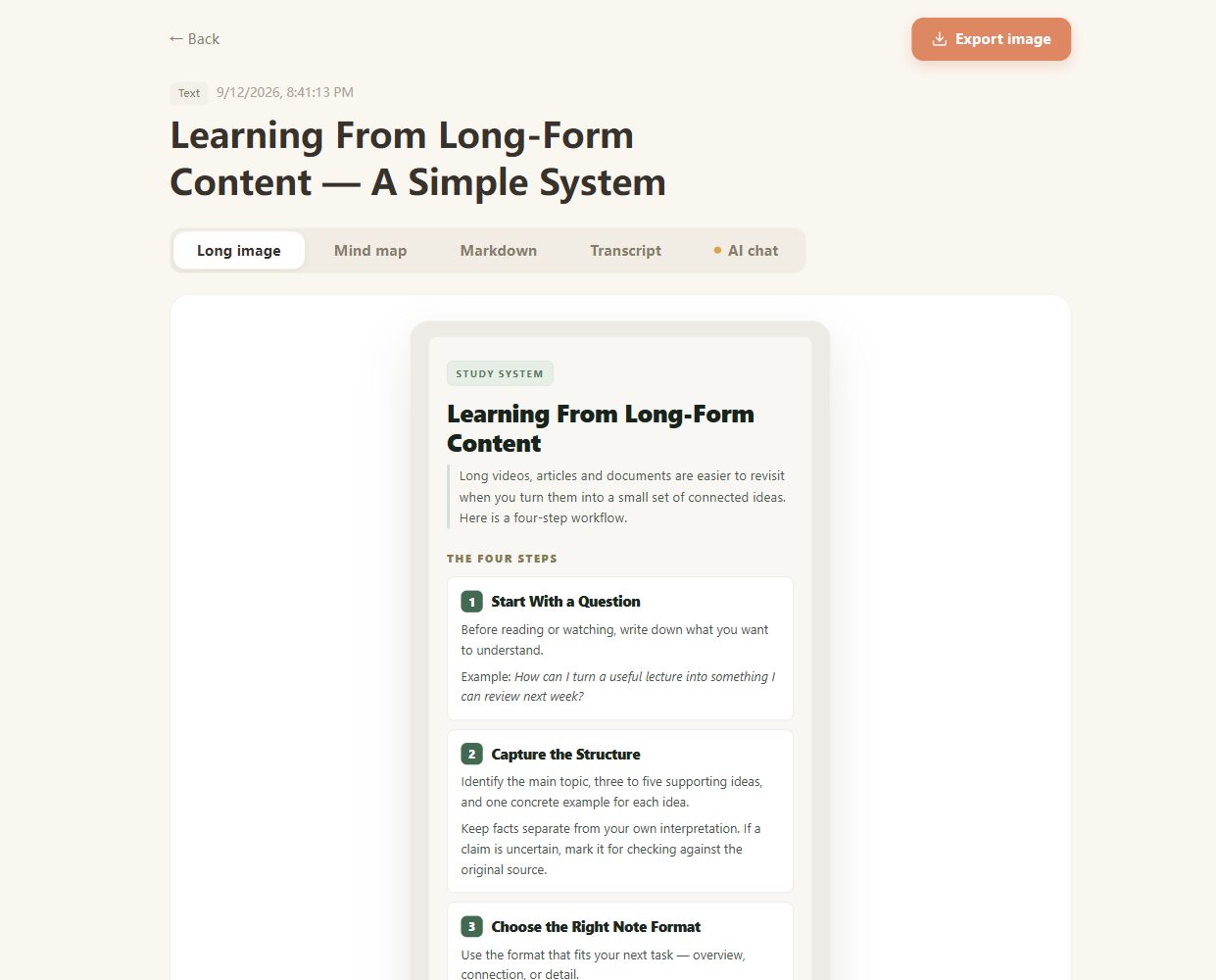
Real CuteNote output · Original demonstration text about learning from long-form content.
A little guidance goes a long way.


Your next “aha” is in there.
Bring something you want to understand. Leave with something worth keeping.
Create your first note