Prepare for a lecture
Scan the main concepts before class and use the note as a starting outline for your own observations.
Upload a PowerPoint presentation and organize its extracted content into visual notes, a mind map, or detailed Markdown. Start with the themes, then revisit the slides that matter.
Sign in before selecting your file. Your chosen format will be kept.
One .ppt or .pptx file at a time. File and processing limits depend on your account.
View plans and limits ↗Find the presentation's story
Group the key concepts
Return to charts and examples
Sign in and upload one PPT or PPTX file from your device.
Select a format and start generation. CuteNote parses the presentation and summarizes its extracted content.
Read the result alongside the original presentation, especially where a chart or illustration carries the explanation.
Get an overview, connect the ideas, or keep the detail. Choose a format when you generate; add another view when you need it.
A clear overview you can scan, save, and share as an image.
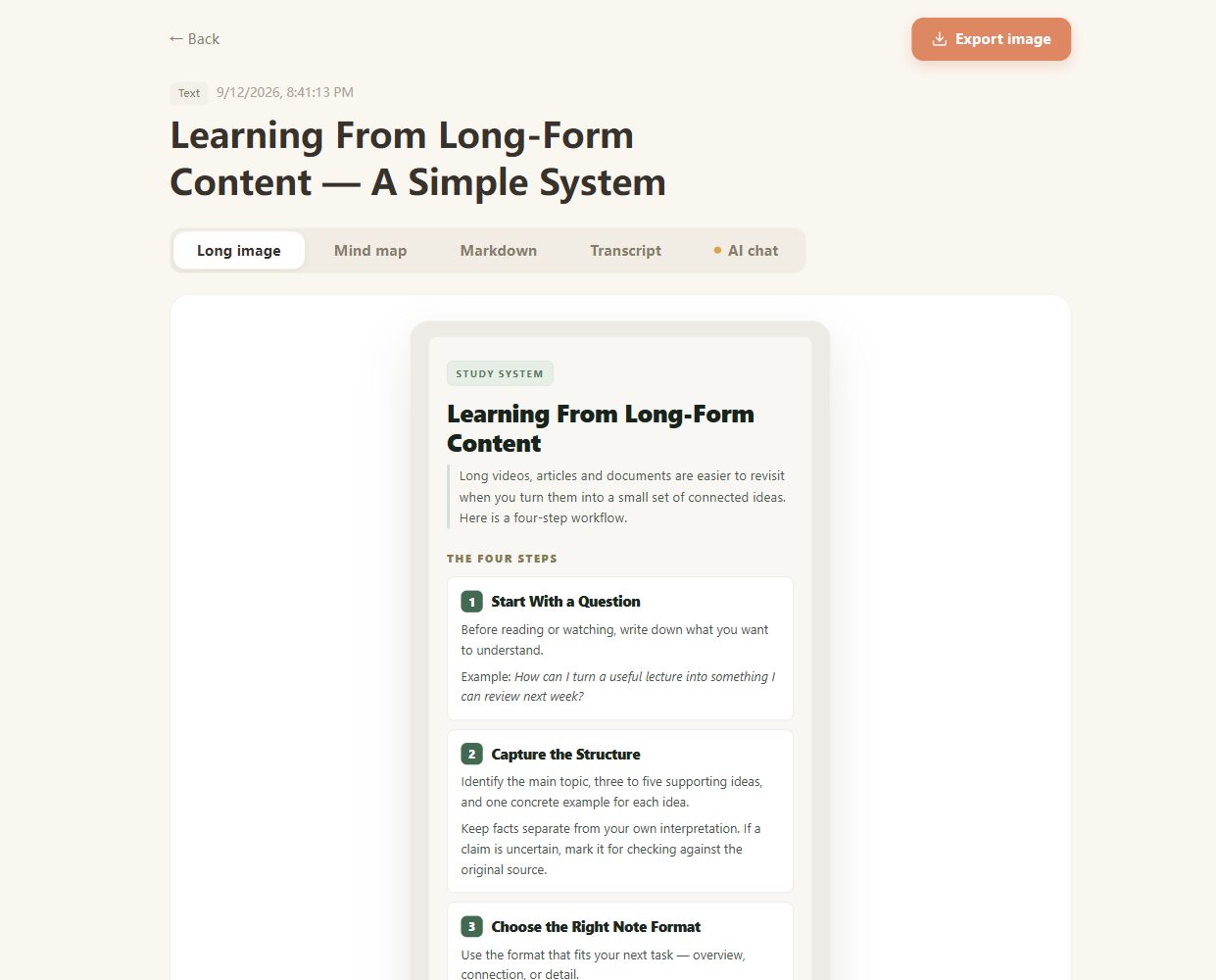
Real CuteNote output · Original demonstration text about learning from long-form content.
Scan the main concepts before class and use the note as a starting outline for your own observations.
Bring the big themes from a long training deck into a compact reference you can return to after the session.
Use a mind map to explore how sections fit together, or Markdown to preserve a more detailed explanation.
Yes. This page accepts a single .ppt or .pptx presentation. The document service validates the uploaded file before parsing it.
The summary is based on extracted document content. Do not assume that slide animations, embedded media, or a presenter's spoken explanation are included. Upload a recording separately if you need its speech summarized.
Complex layouts and visual relationships can be simplified during extraction. Check charts, figures, equations, and labels in the original presentation.
This is a notes workflow, not a slide-deck generator. You can save generated notes as supported PNG or Markdown outputs; it does not export a rewritten PPTX deck.
Yes. Use PDF Summarizer for a deck exported as a PDF. Keep the original slides available to check any detail that depends on layout.
Bring something you want to understand. Leave with something worth keeping.
Create your first note