Work with a copied transcript
Use captions or interview text you already have as the source, without downloading or transcribing the audio again.
Paste an article, transcript, or set of reading notes. Turn the text into a visual overview, a mind map, or structured Markdown you can revisit and export.
Find the central message
Organize the supporting points
Keep the detail that matters
Copy the article, transcript, or notes you want to summarize. Leave out unrelated menus and comments where possible.
Choose visual notes, a mind map, or Markdown. Continue to the composer and submit the text.
Review the generated note against the source, ask a follow-up question, and export the result you want to keep.
Get an overview, connect the ideas, or keep the detail. Choose a format when you generate; add another view when you need it.
A clear overview you can scan, save, and share as an image.
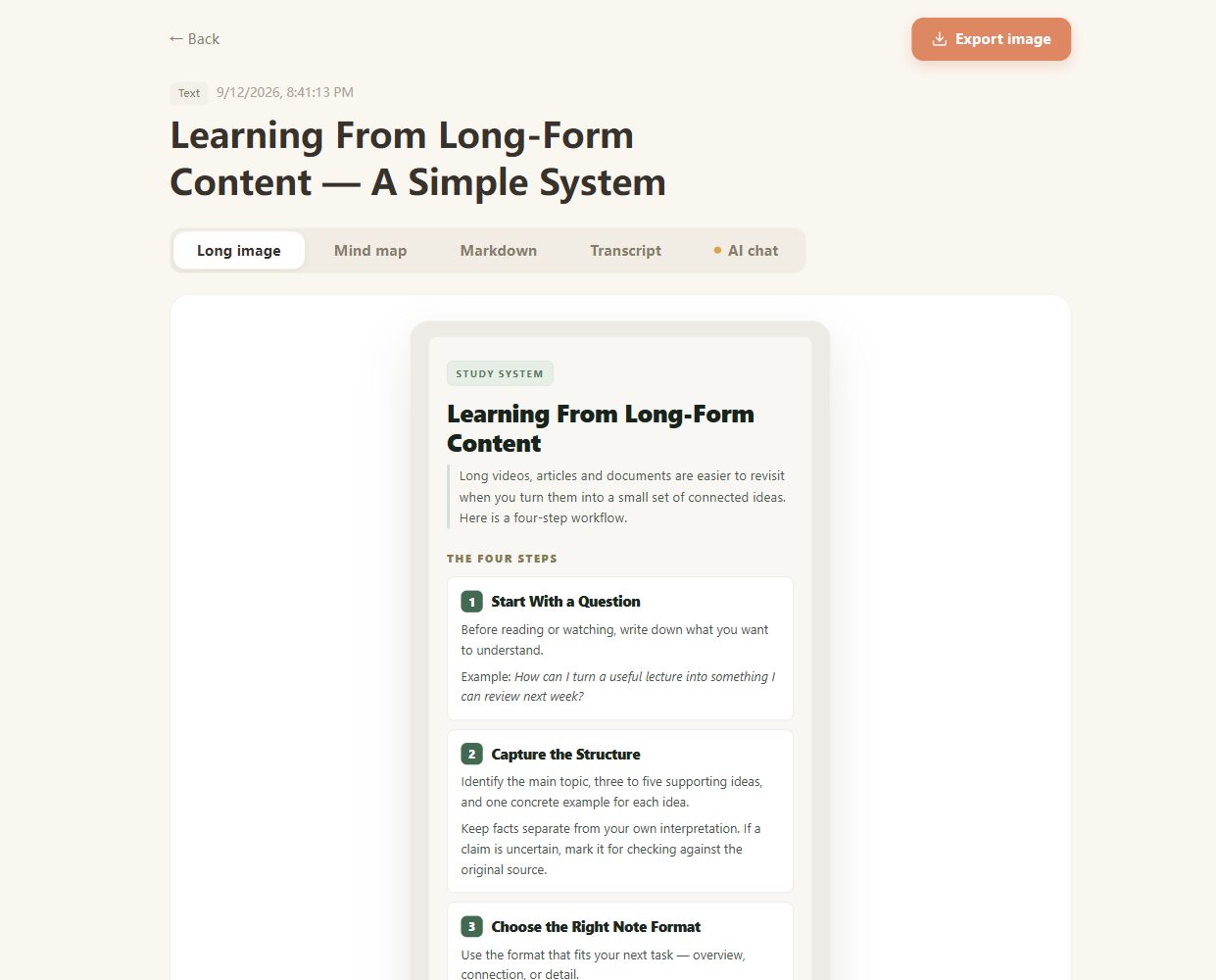
Real CuteNote output · Original demonstration text about learning from long-form content.
Use captions or interview text you already have as the source, without downloading or transcribing the audio again.
Turn a collection of related points into a more structured overview while keeping the original text available.
When a URL cannot be retrieved, paste the relevant article content you are allowed to process.
Articles, transcripts, lecture notes, and other substantial text can be used as a source. A few isolated words rarely provide enough context for a useful summary.
Perfect formatting is not required. Clear paragraphs and headings help, and removing unrelated material gives the summary a more focused source.
The composer validates the source length and your current account allowance. If the text is too short or exceeds the limit, follow the message there before submitting again.
Choose the output format to suit your task: a visual note or mind map for an overview, or Markdown for more detail. This page does not offer an exact word-count setting.
The Transcript view lets you read and copy the source text. Markdown download exports the generated notes; visual notes and mind maps export as PNG images.
Bring something you want to understand. Leave with something worth keeping.
Create your first note