Make lectures easier to revisit
Find the main concepts before a second watch. Use a mind map to see how the lesson fits together.
Turn a YouTube lecture, tutorial, or interview into visual notes, a mind map, or detailed Markdown. Keep the ideas long after the video ends.
Start with one question
Connect the main ideas
Put one insight into practice
Copy an individual YouTube video link and paste it above.
Continue to the composer, choose a format, and generate your note.
Read the overview, explore the transcript, ask a follow-up question, or export your notes.
Get an overview, connect the ideas, or keep the detail. Choose a format when you generate; add another view when you need it.
A clear overview you can scan, save, and share as an image.
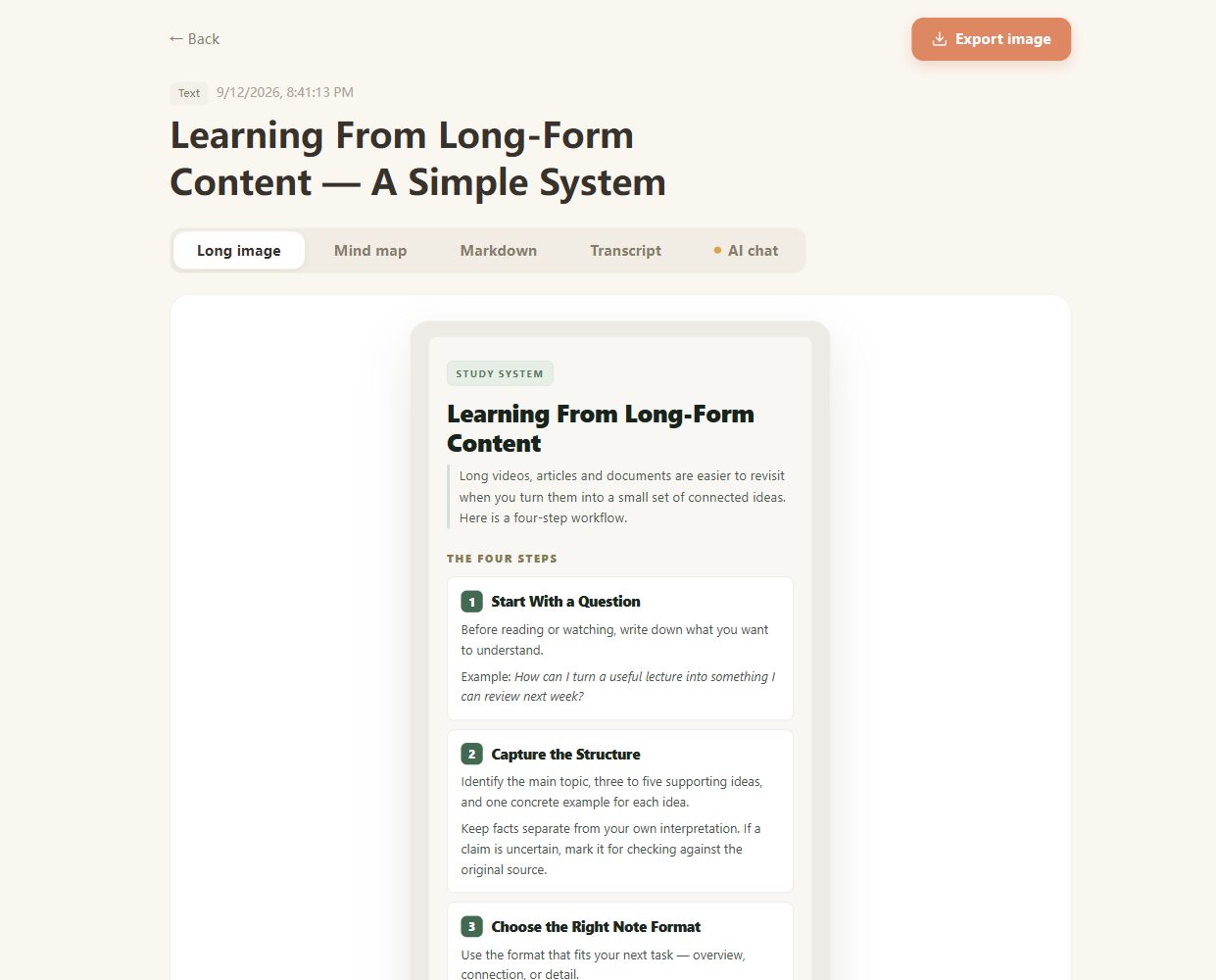
Real CuteNote output · Original demonstration text about learning from long-form content.
Find the main concepts before a second watch. Use a mind map to see how the lesson fits together.
Save a structured explanation in Markdown, ready to reference as you work through the original demonstration.
Get an overview of the discussion, then ask questions about the source when you want more context.
CuteNote extracts available captions or transcribes supported audio, then organizes that source text into your chosen note format. The summary is based on the words, so revisit the video for visual demonstrations and on-screen details.
The processing pipeline can attempt audio transcription when captions are unavailable. The video must be accessible; restricted or unavailable videos may not produce a note.
Yes. A completed note includes its extracted source text in the Transcript view. AI chat uses the source content to help you explore points beyond the summary.
Choose a mind map or detailed Markdown when generating. Mind maps and visual notes can be exported as PNG images, and Markdown can be downloaded as a .md file. Additional formats can be generated from a note when available.
You can browse examples without signing in. Sign in to generate and keep your own notes. Available formats, video duration, and usage allowances depend on your account; see Pricing for current plans.
Bring something you want to understand. Leave with something worth keeping.
Create your first note